![LOGO_WV-1.png]](https://help.martianlogic.com/hs-fs/hubfs/LOGO_WV-1.png?height=40&name=LOGO_WV-1.png)
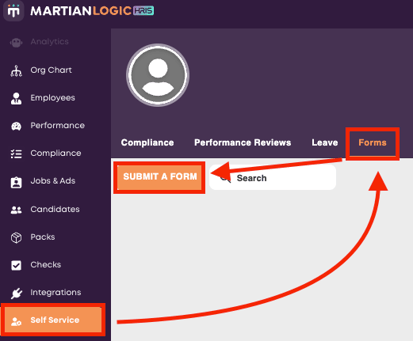
Navigate to Self Service -> Forms and select 'Submit a Form'.
Select the relevant form from the list and press 'Create'.
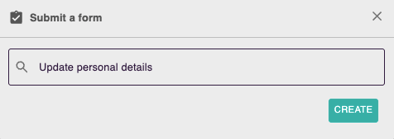
A window will appear on the right of the screen containing the form. After you have filled in the details, press 'Submit' at the bottom of the form.
Note: the form will autosave as you work through it. If you leave the page before submitting, it will be sitting in your self service portal in 'Draft' status.