![LOGO_WV-1.png]](https://help.martianlogic.com/hs-fs/hubfs/LOGO_WV-1.png?height=40&name=LOGO_WV-1.png)
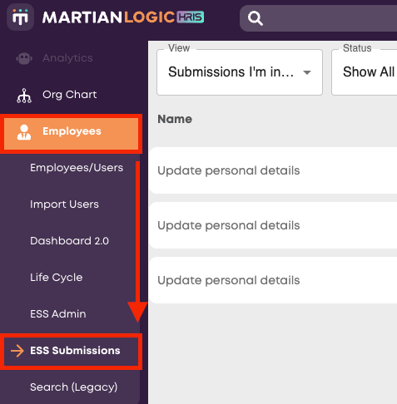
Navigate to Employees -> ESS Submissions
You can filter the view of the page to only show forms you are directly involved in or forms awaiting your approval by changing the view dropdown in the top left.
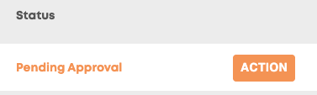
Forms requiring attention will be indicated by the 'Pending Approval' status, as well as the 'Action' button on the right.
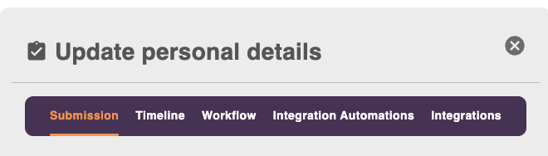
Press action to bring up the details of the form. On this screen you can view the form, submission timeline, approval workflow as well as any relevant integrations that will be triggered by the finalising of the form.
At the very bottom of the form, you can either Approve or Reject the submitted form. If you are the final approver, the form status will be updated to 'Completed'.