![LOGO_WV-1.png]](https://help.martianlogic.com/hs-fs/hubfs/LOGO_WV-1.png?height=40&name=LOGO_WV-1.png)
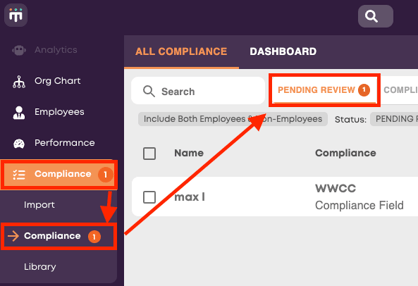
Navigate to Compliance -> Compliance -> Pending Review.
Any compliance items that require attention will be indicated by a notification number next to the Compliance button.
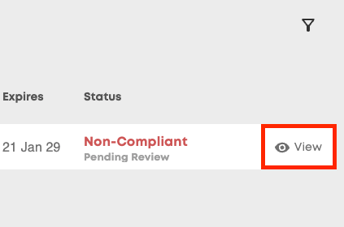
Press 'View' next to the Non-compliant, pending item.
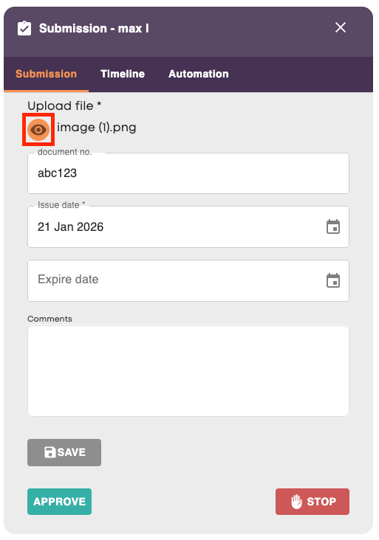
From here, you can view any uploaded files, verify the submitted details and amend/add comments if needed. If you are happy with the check, you can press 'Approve'. If not, you can press 'Stop' and the employee will remain non-compliant for that check. If the check is still needed, you will need to re-assign the item to the employee.