![LOGO_WV-1.png]](https://help.martianlogic.com/hs-fs/hubfs/LOGO_WV-1.png?height=40&name=LOGO_WV-1.png)
How to upload your Ad-hoc document
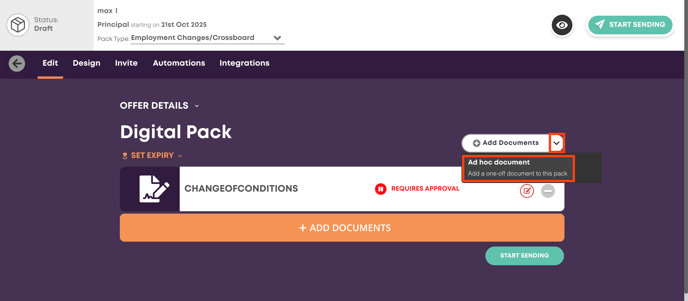
Once you have created a pack for the employee or candidate, you can use the dropdown menu under 'Add Documents' to select 'Ad hoc document' shown in the red boxes in the screenshot below.
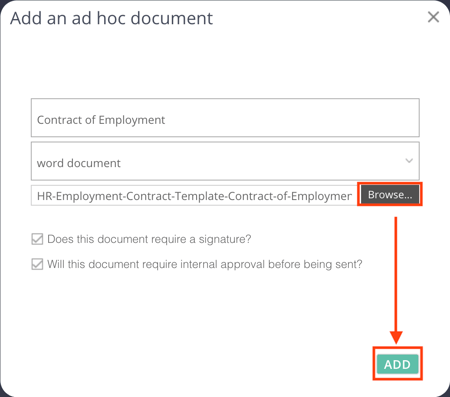
From here, the document name should be filled in, which is displayed to the recipient of the pack. There are 3 document types to select from:
- Word Document - for all word documents
- PDF Document - for most PDF documents
- Download/Upload - Allows you to upload a fillable PDF document that can then be downloaded by the recipient, and uploaded once filled in. This type should be used with caution, as many recipients will not have the correct version of PDF installed to allow editing.
You can then use the 'Browse' button to find your ad-hoc document, specify whether signatures are needed and finally select 'Add' to place it in the pack.
How to download and edit your existing letter
In conjunction with the above instructions, you are able to download the saved version of your contract/letter and manipulate it with your one-off changes before re-uploading into the system as an ad-hoc document.
By doing this, you retain all of your merge fields, reducing the amount of information you need to manually populate.
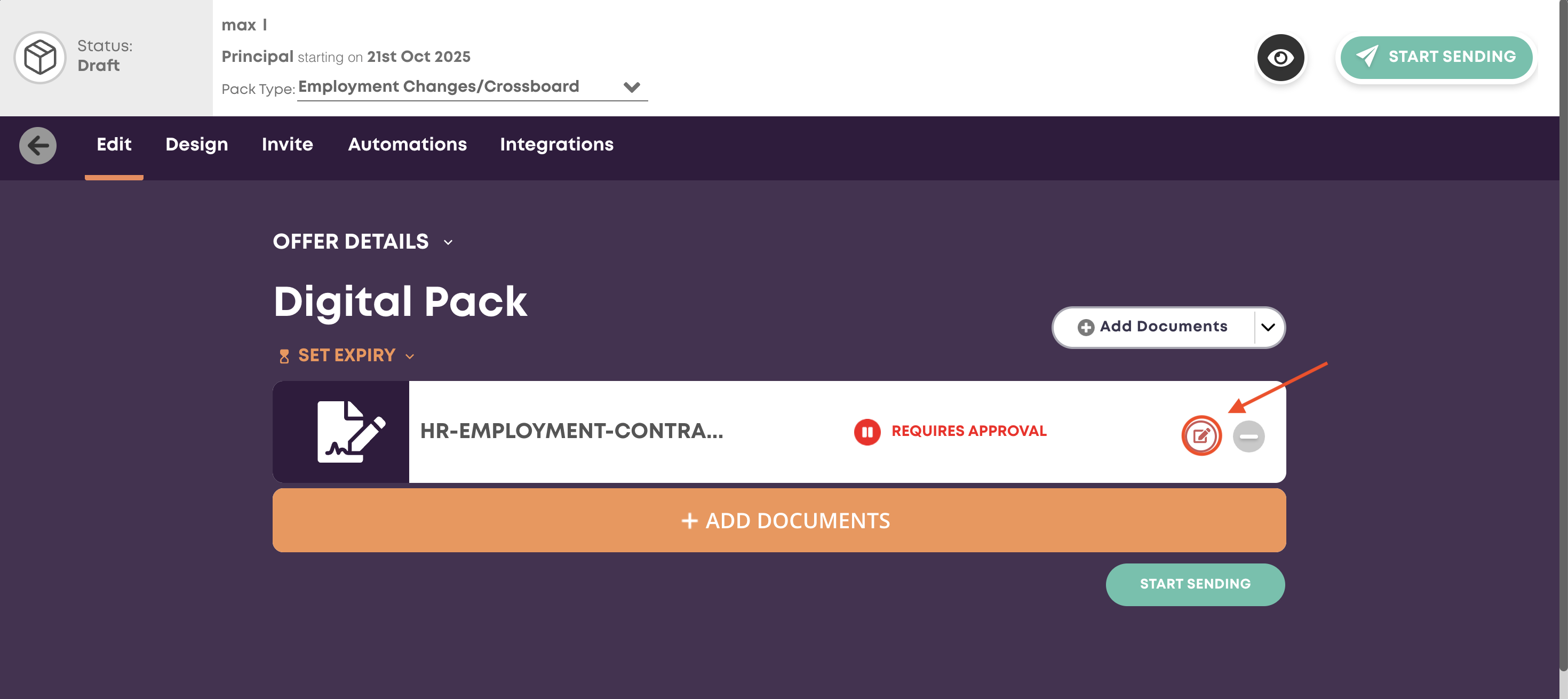
Once the pack has been generated, click the speed editor button shown in the screenshot below.
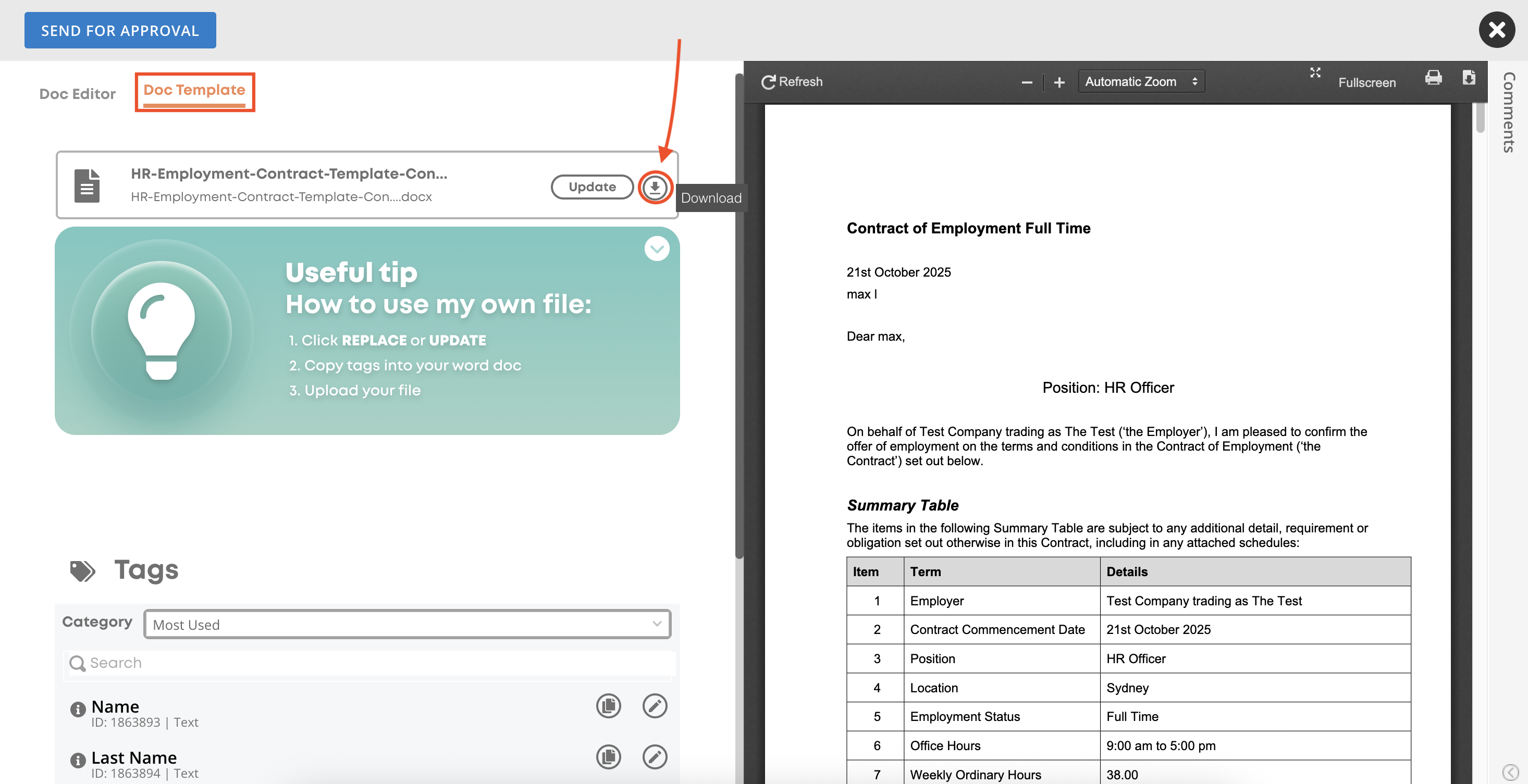
Select the 'Doc Template' menu item and then select the circled 'Download' button.
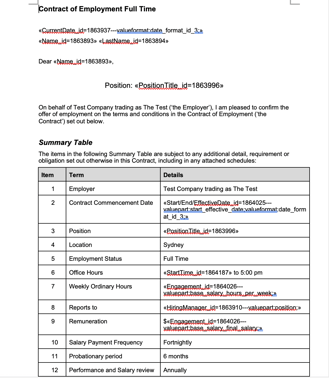
Once you have downloaded and opened the document in word, you are able to make any required adjustments. In the below example, I have added in a relocation amount to the summary table.
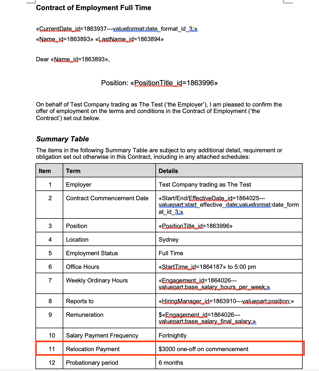
Once this amended document is saved, please follow the instructions at the top of the document to upload it to the employment pack as an ad-hoc document for actioning. You will notice that the merge fields still function as expected.