![LOGO_WV-1.png]](https://help.martianlogic.com/hs-fs/hubfs/LOGO_WV-1.png?height=40&name=LOGO_WV-1.png)
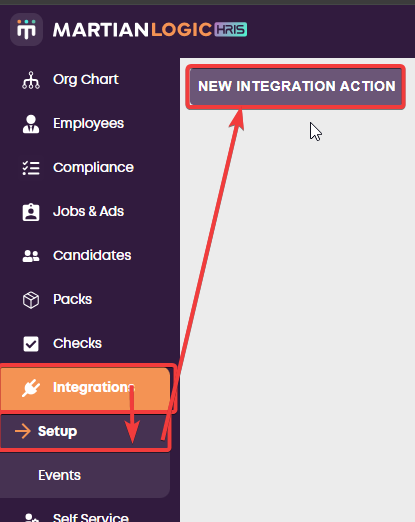
To set up the Inerva integration in Martian Logic, go to Integrations -> Setup -> New Integration Action
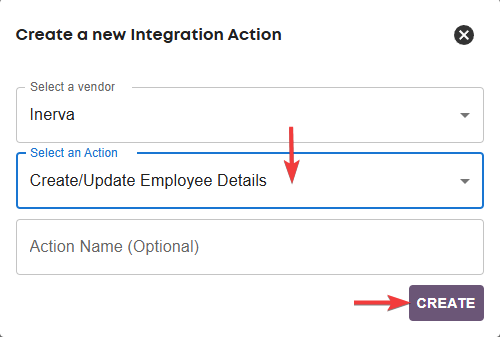
Then select Inerva as the vendor and Create/Update Employee Details as the Action.
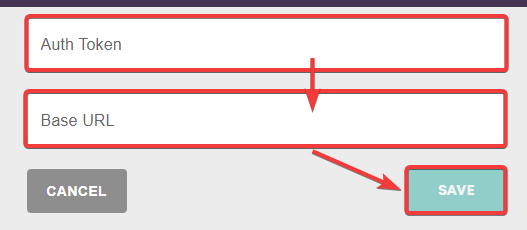
Then provide the required credentials (Authentication Token, and Base URL) and click save. You can get these details by contacting the support team from Inerva.
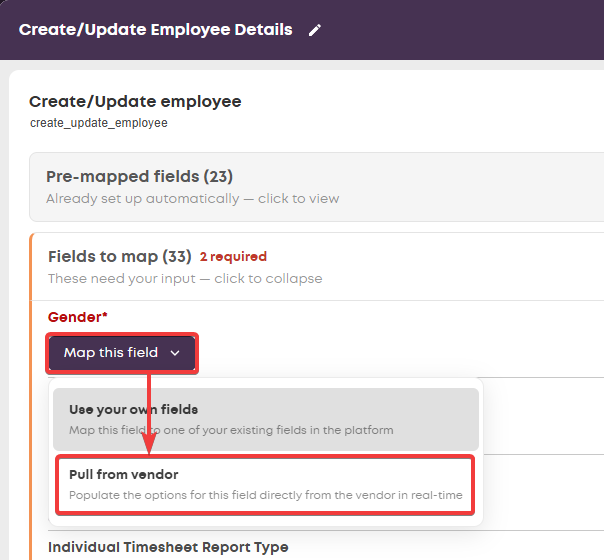
Then you can setup the Create/Update Employee Details Inerva action. You can auto create most of the fields by choosing the option Pull from vendor which will populate the options straight from your Inerva database. If you require assistance with this contact support@martianlogic.com or your Martian Logic account manager.
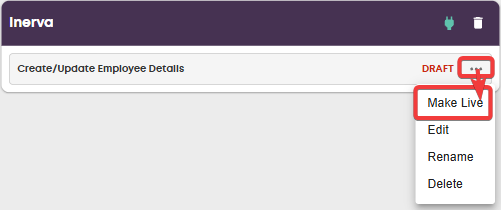
Then you can make the action live when you're ready to start using it.